Use custom fields to add new dynamic content to your Station lite website. You can edit your current assets and add/remove fields, or you can create new assets.
The Station lite custom fields are as follows:
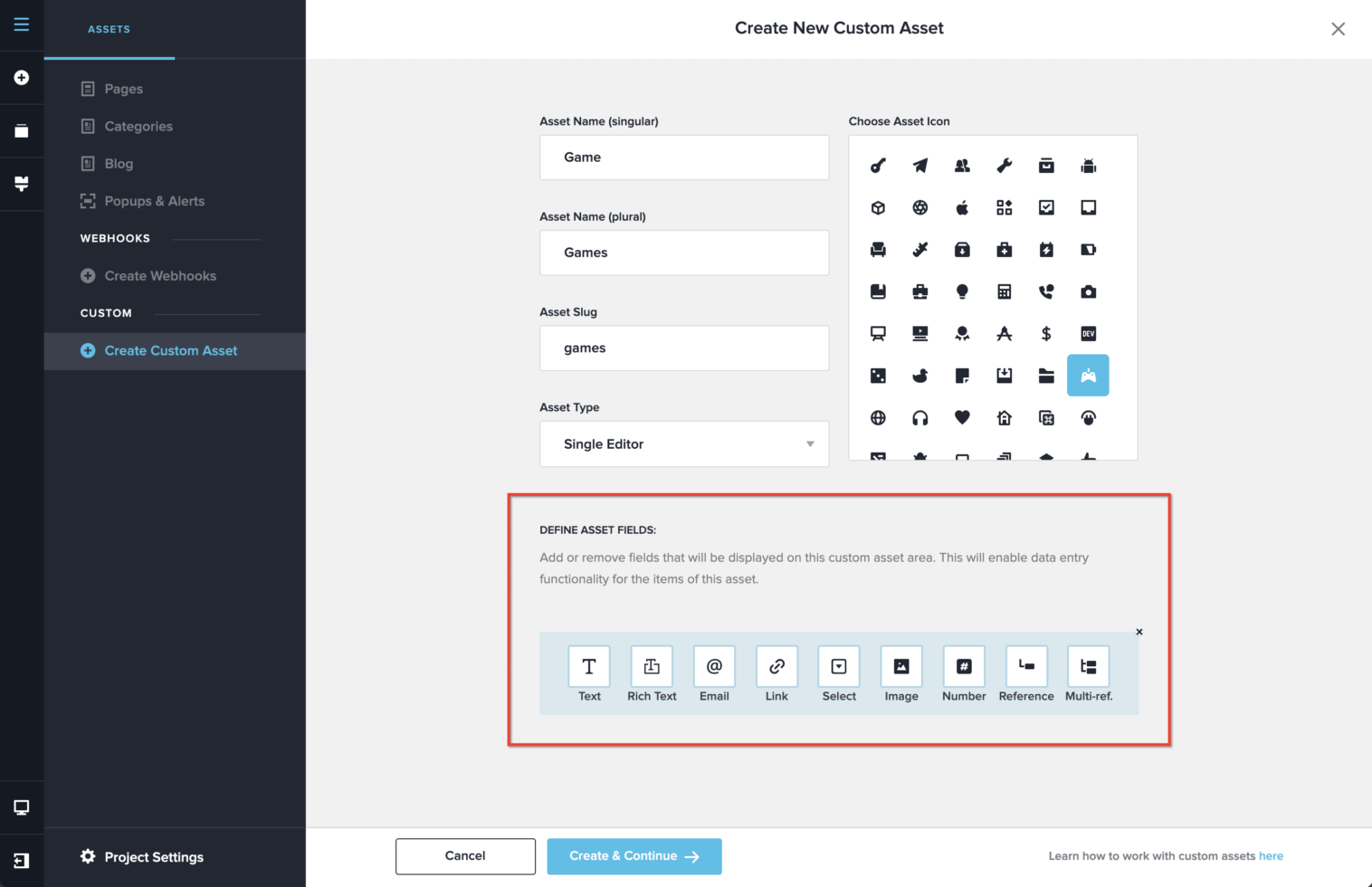
Text – a regular input field, that is primarily used for text but accepts numbers and special characters as well
Rich Text – a paragraph best used for your asset excerpt or description
Email – an email field that accepts only email structured inputs like something@custom.com
Link – a URL field that accepts only URL links
Select – a dropdown select field
Image – an image upload field best used for your asset featured image. Accepts only image extensions.
Number – a number field
Reference – used to link single assets with category assets with a one-on-one relation. For example, link a single asset “Games” with a category asset “Developer”. The one on one relation means one “Game” has only one “Developer”.
Multi Reference – used to link single assets with category assets with a one-to-many relation. For example, link a single asset “Games” with a category asset “Genres”. The one-to-many relation means one “Game” can have multiple “Genres”.
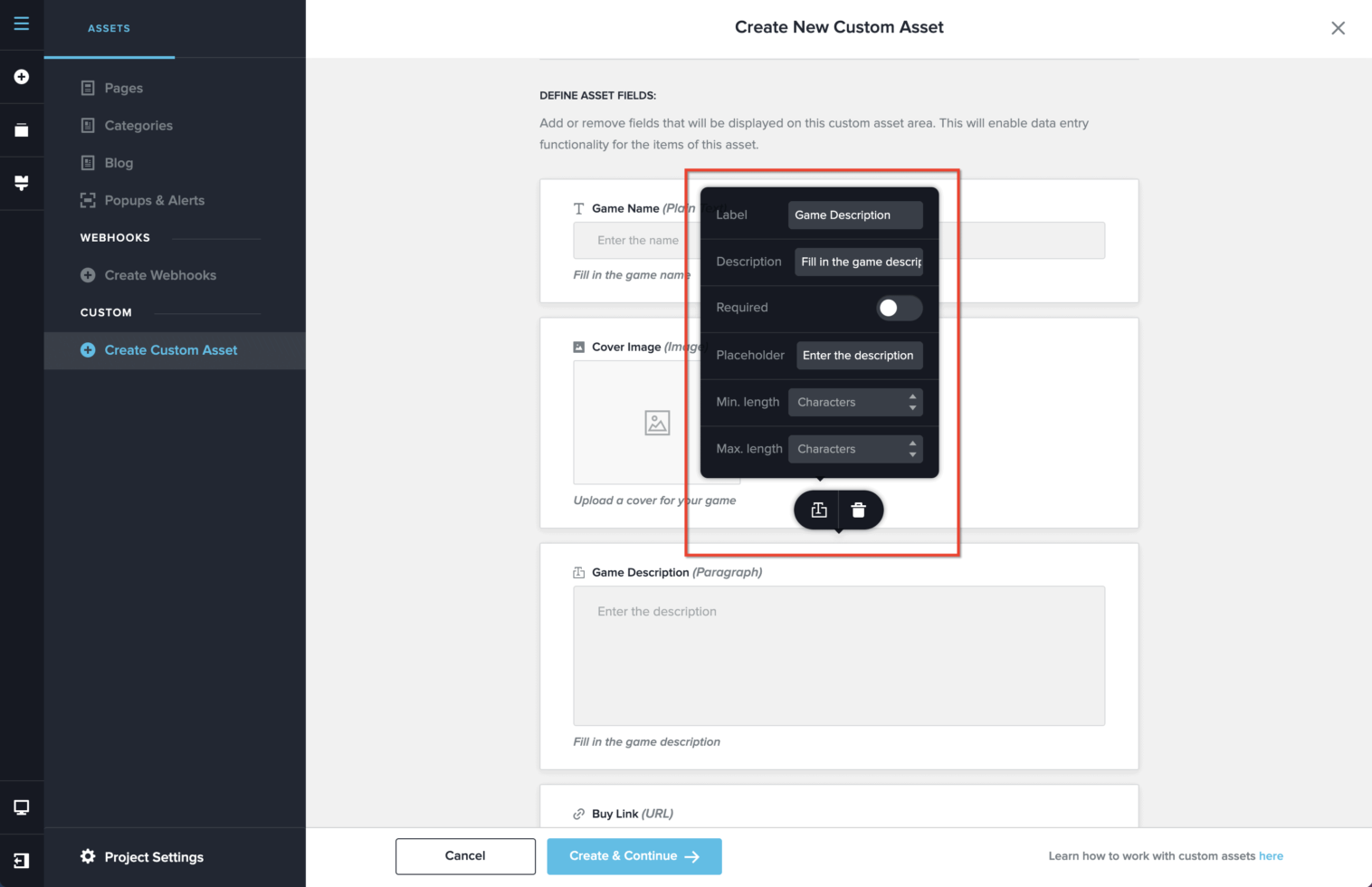
Clicking any field will bring in the options for that field that lets you set the label, description, placeholder. You can also choose if the field is required or change limits based on each field.


Leave a Reply