The Custom Fonts extension allows you to upload and use your own fonts across your Station website, seamlessly integrating them with both the Block and Architect Builders. This feature gives you complete typography control, ensuring a truly unique design.
The extension supports TTF and WOFF2 font formats. Whether you’re using standard or variable fonts, you have the flexibility to fine-tune your typography for the best performance and appearance.
Configuring a Font #
Adding a custom font to your website is quick and effortless. Simply click the “Add Fonts” button in the extension settings, follow the upload prompts, and your new font will be ready to use.
Simple Fonts #
For traditional font files, you can upload separate files for different weights (from 100 to 900) and styles (regular and italic). This allows you to define specific versions of the font for various text elements throughout your site.
Variable Fonts #
Variable fonts simplify font management by containing all weight and style variations within a single file. Instead of uploading multiple versions, you only need two files: one for standard text and one for the italicised version.
Modern Font Stacks #
With Modern Font Stacks, you can take advantage of pre-installed system fonts that dynamically load based on the user’s device and operating system. This approach ensures optimal performance while maintaining a polished, professional look.
Customiser Support #
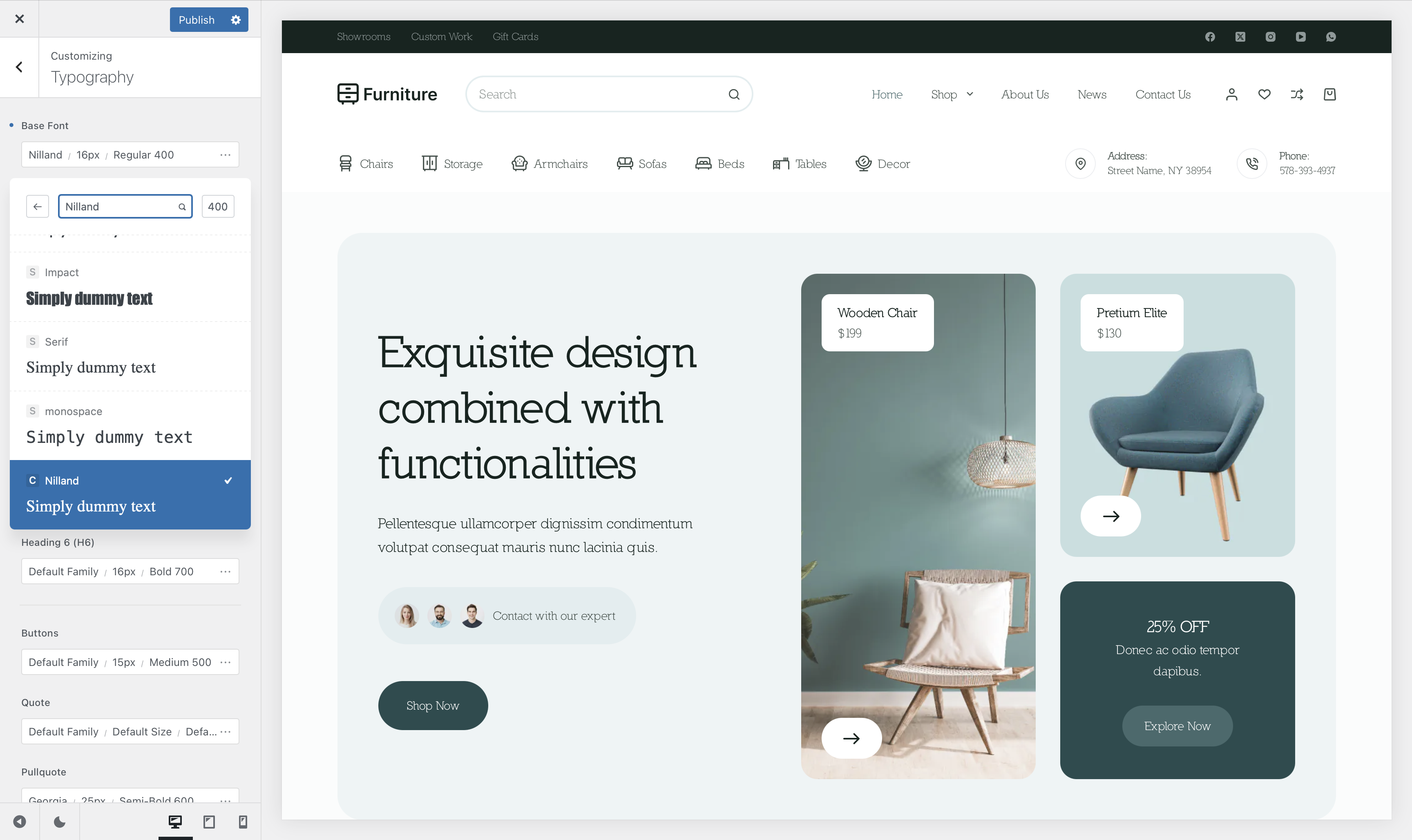
Once your fonts are uploaded and configured, they will seamlessly integrate with the Customiser, appearing anywhere font selection is available. Custom fonts are easily identifiable by a small “C” icon at the bottom of the font list, ensuring quick and easy access whenever you need them.
Modern Font Stacks Anecdote #
When a Modern Font Stack is selected, the fonts will automatically become available throughout the Customizer and the Block Editor. There’s no need for additional configuration—simply enable the stack, and the system will handle the rest, ensuring a seamless and optimized typography experience.


Leave a Reply