If you need to purchase a custom domain, consider Station Domains, where we’ll take care of the entire DNS setup, including email records for best deliverability!
Please note that IDN domains (domains that contain special characters) are not yet supported in the /lite/ site.
Follow these steps to link your custom domain with your the /lite/ site project.
Step 1. Click the Publish link on your project
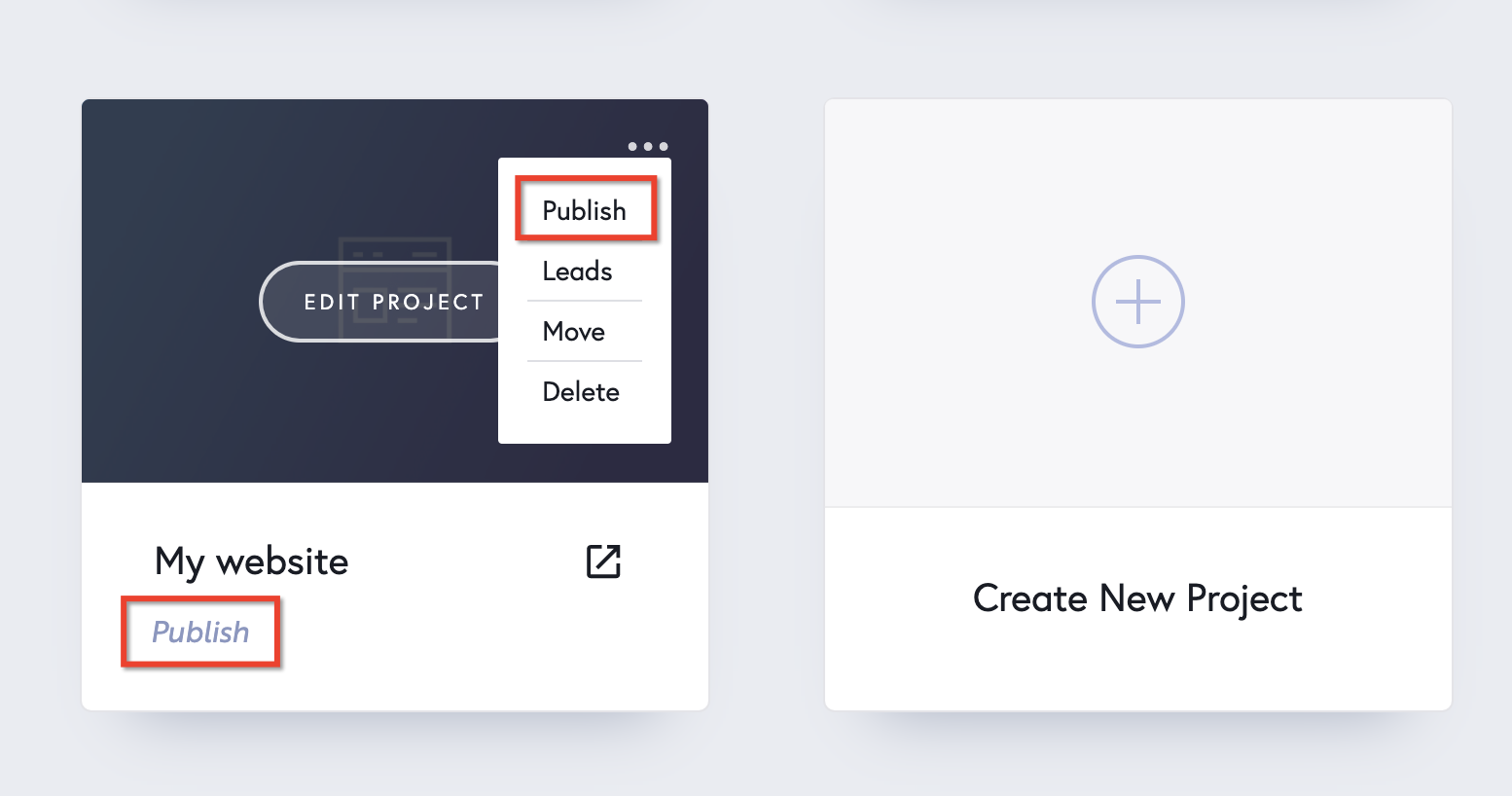
Step 2. Select Custom Domain in the popup

Step 3. Enter your custom domain name. Include the www. as well. Please note that IDN domains (domains that contain special characters) are not yet supported in the /lite/ site.
We’ll use www.mydomain.com as an example.
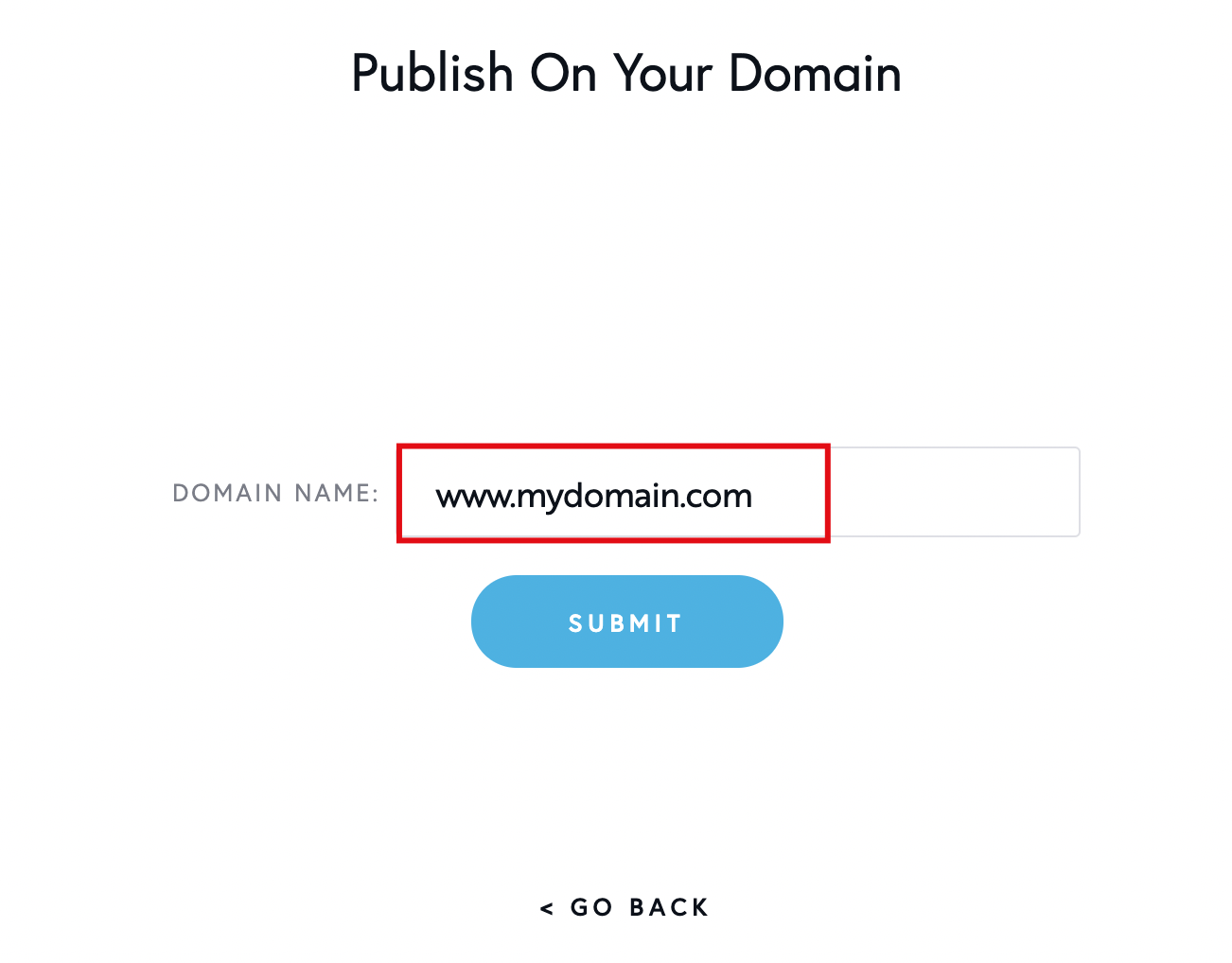
Step 4. Click the Submit button.

After going through these first steps you need to operate some changes where you have registered your domain in order to create a CNAME Record and A Record redirects that points to your the /lite/ site project.
Step 5. Create a CNAME Redirect.
This is done outside the /lite/ site, where you’ve purchase the domain.
This is very simple, all companies that sell domains have these settings, you’ll usually find them under NS/DNS Records.
Here is an example on how these options might look like on your end:

- Type needs to be CNAME
- Host (might be Alias) needs to be www
- Points to (might be Canonical Name or Redirect) needs to be your unique project name from the /lite/ site (in our example lite.thelite.site, yours will be different).
- Leave TTL with the default value
- IMPORTANT: you can’t have two www CNAME redirects. If you already have one, replace that, instead of adding a second one.
Step 6. Creating an A Record Redirect
In the same DNS dashboard from Step 5.

- Type needs to be A
- Host (might be Alias) needs to be @
- Points to (might be Canonical Name or Redirect) needs to be 34.237.47.210
- Leave TTL with the default value
- IMPORTANT: you can’t have two @ A redirects. If you already have one, replace that, instead of adding a second one.
Important: It takes up to 48 hours for these changes to propagate across the internet.
Keep in mind 1: This publishing option comes with free SSL from us. Takes up to 24 hours to be installed. More about SSL here.
Keep in mind 2: If you’ve waited 48 hours and your Station lite custom domain publishing screens show “Not found” on either records like this,

Get in touch with the company you’ve purchased the domain from and tell them they need to help you connect custom DNS on your domain because you’ve made the changes and something must not work as it should on their side.


Leave a Reply