video coming soon
You’ll need a Menu on your multi page website. Here is how to create it:
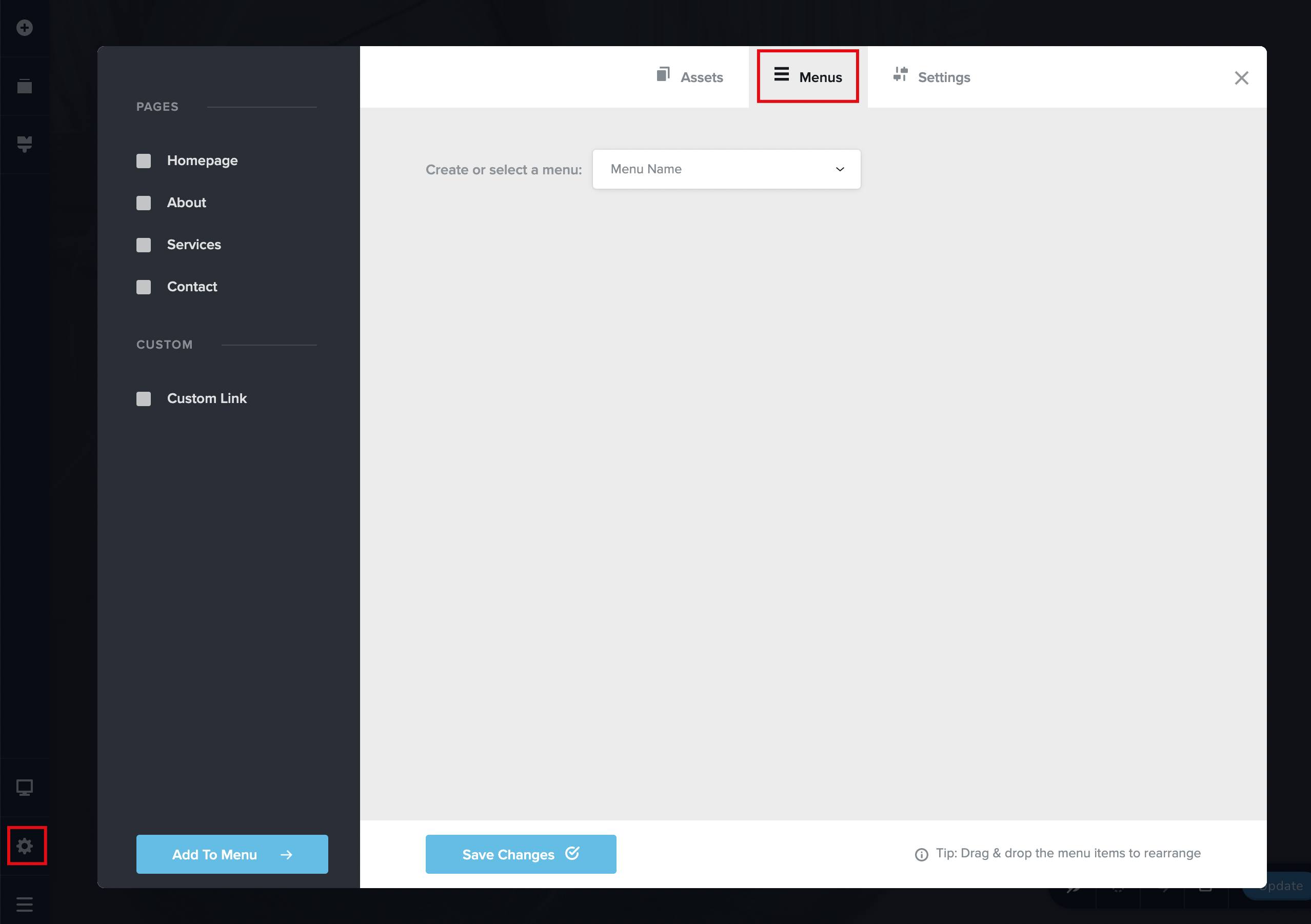
Step 1. Click the gear Settings icon in the left sidebar and go to Menu tab
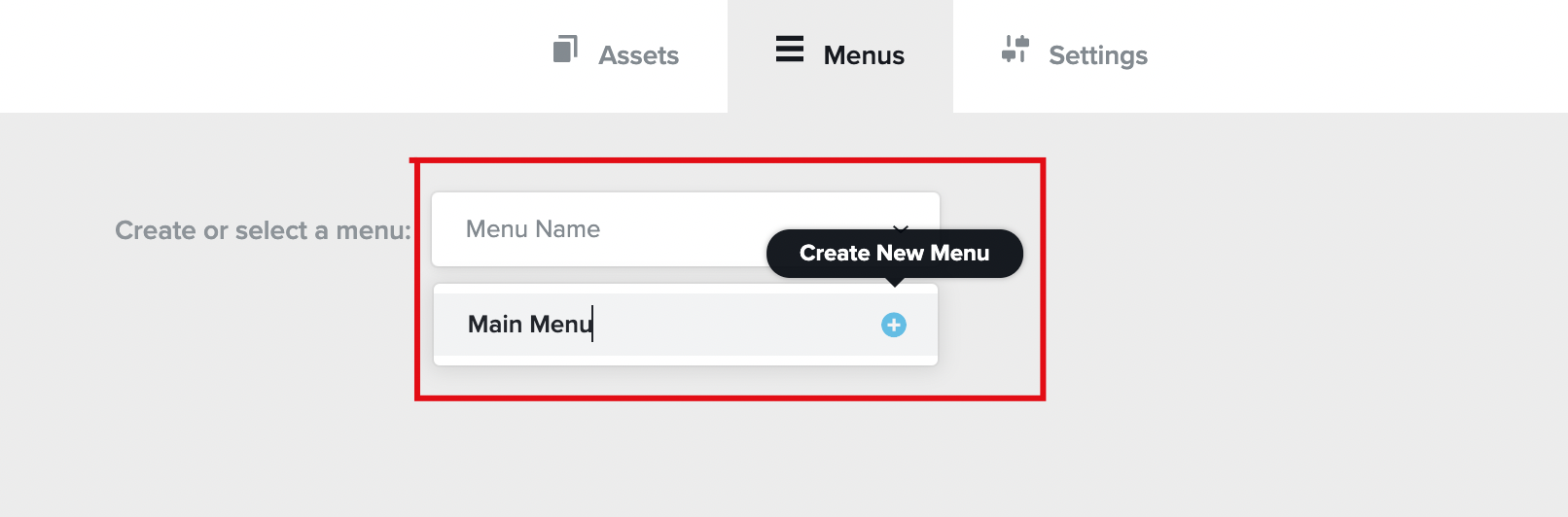
Step 2. Create a new menu.
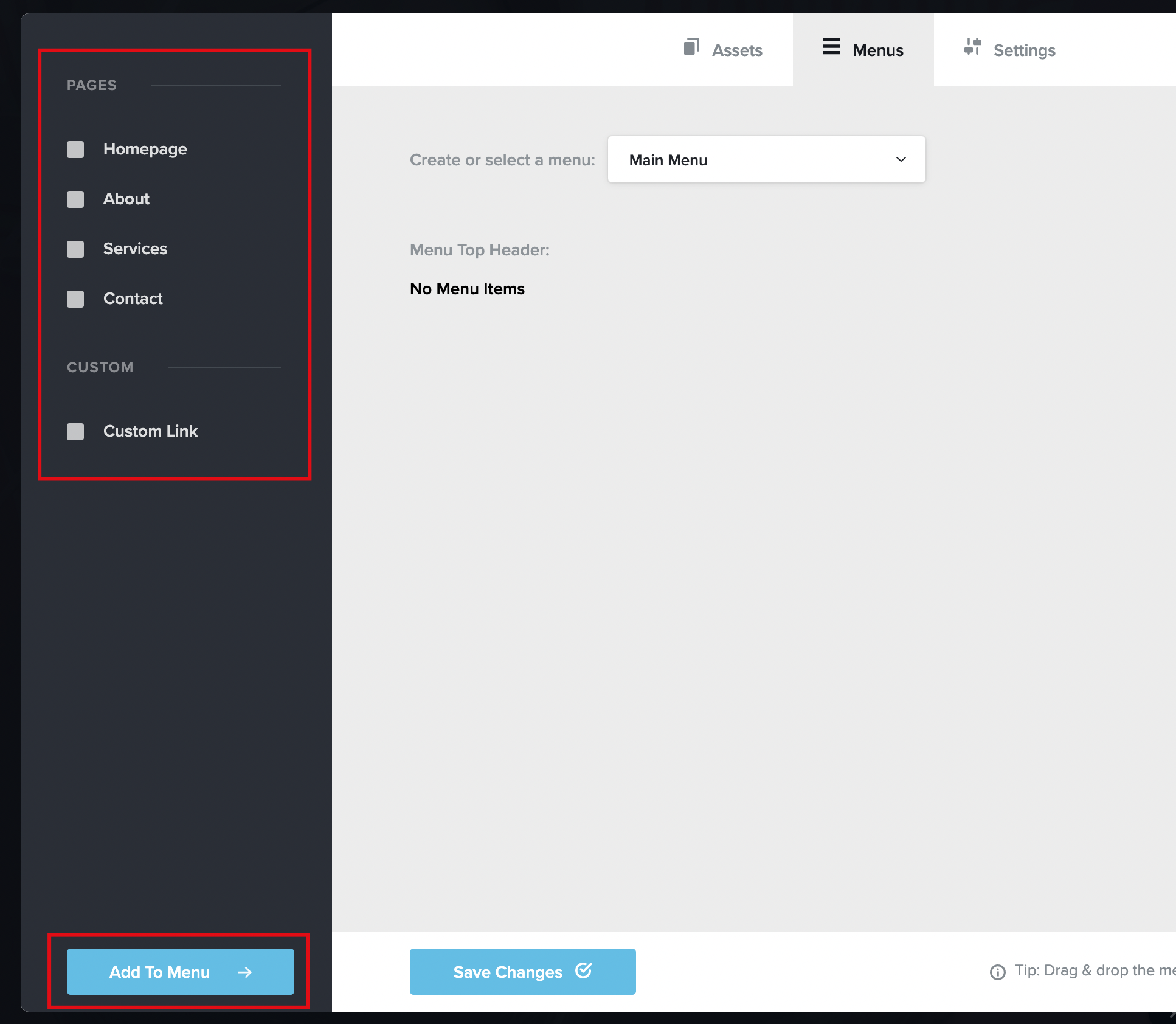
Step 3. Select the pages you want in your Menu and press the Add to Menu button
Step 4. Drag and drop pages to reorder or create dropdown menus
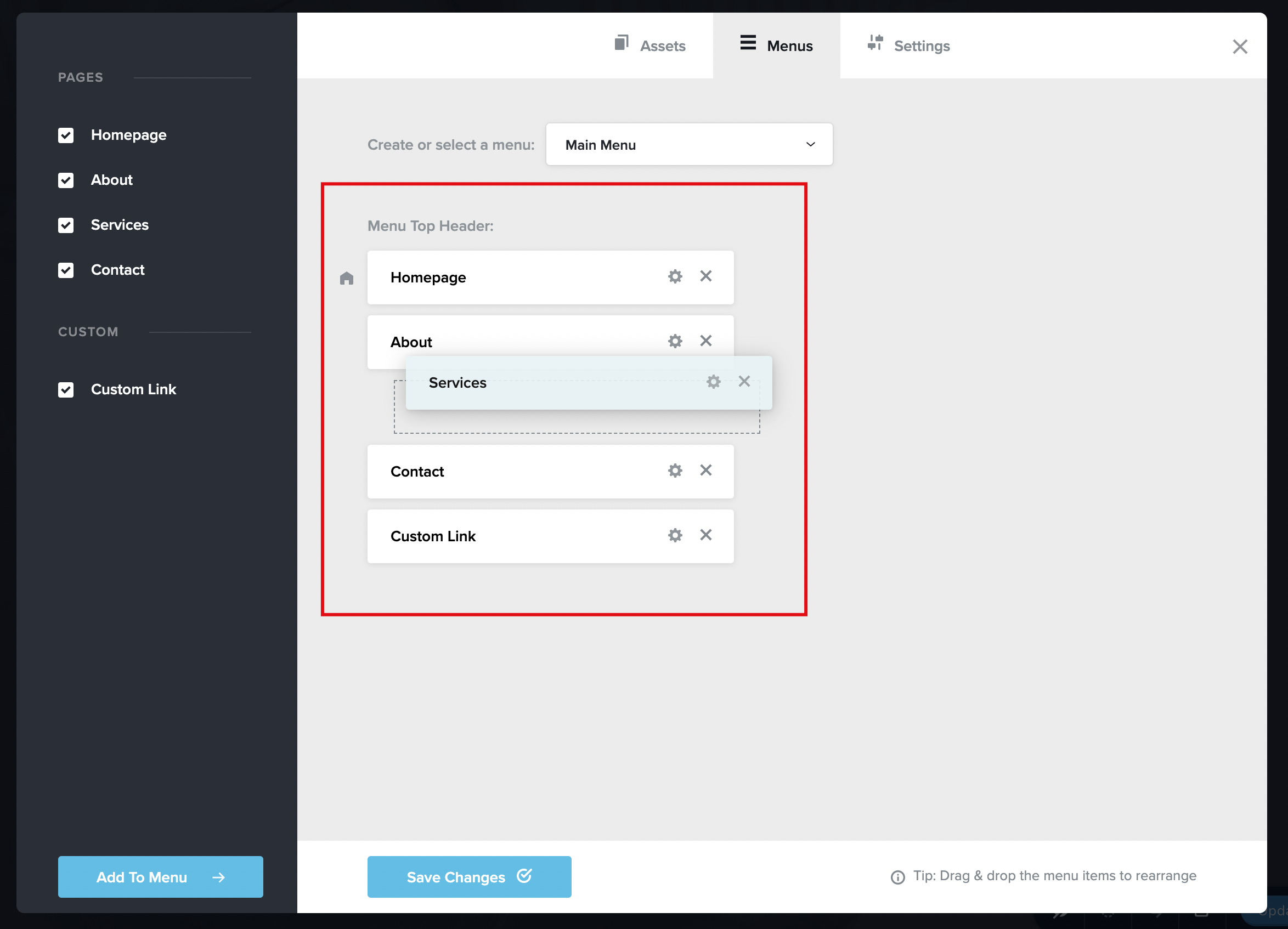
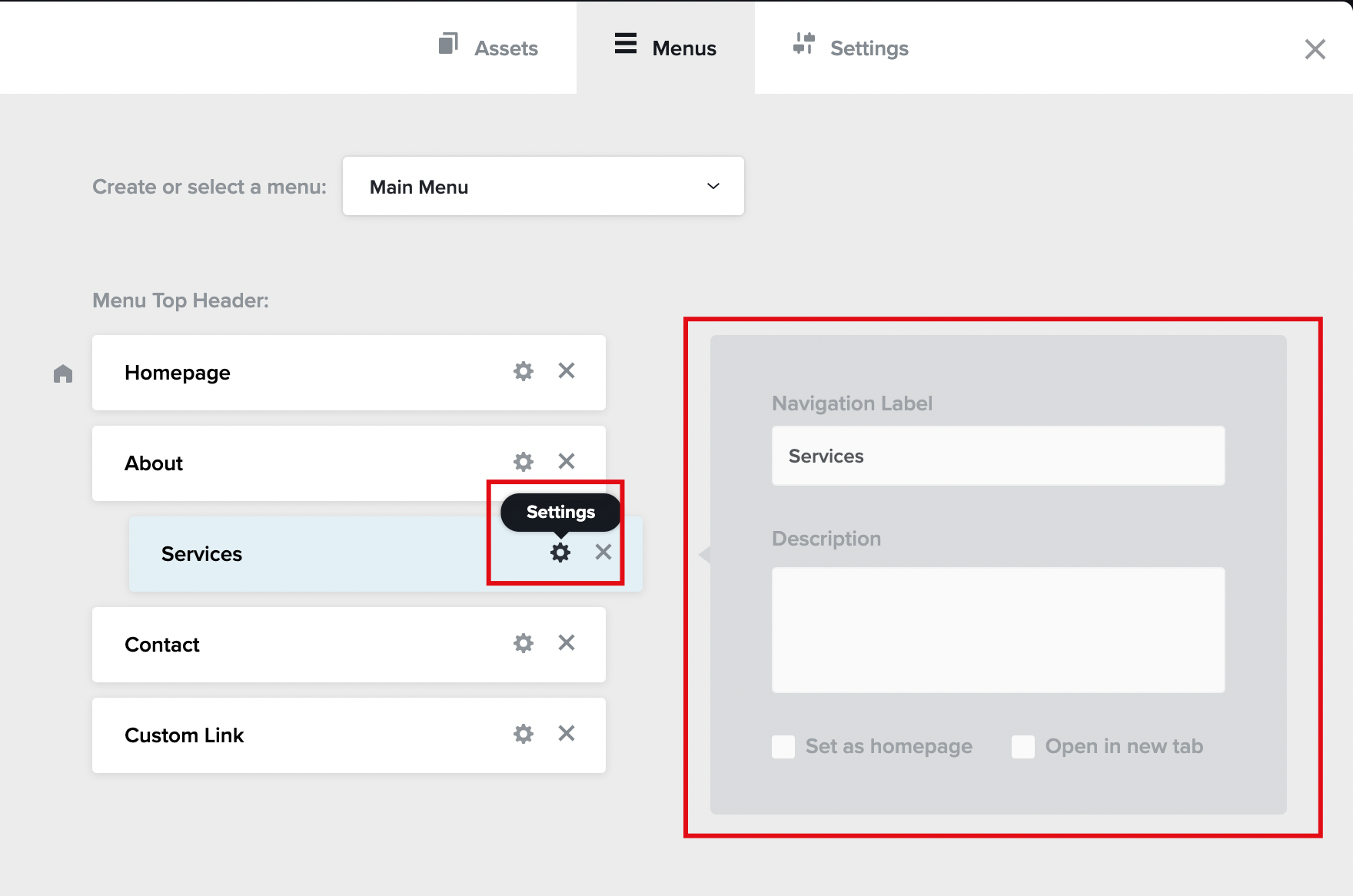
Step 5. Click the Settings icon to edit Navigation Label and more.


Leave a Reply